OJO Payment Methods for UK Players
 Available in GB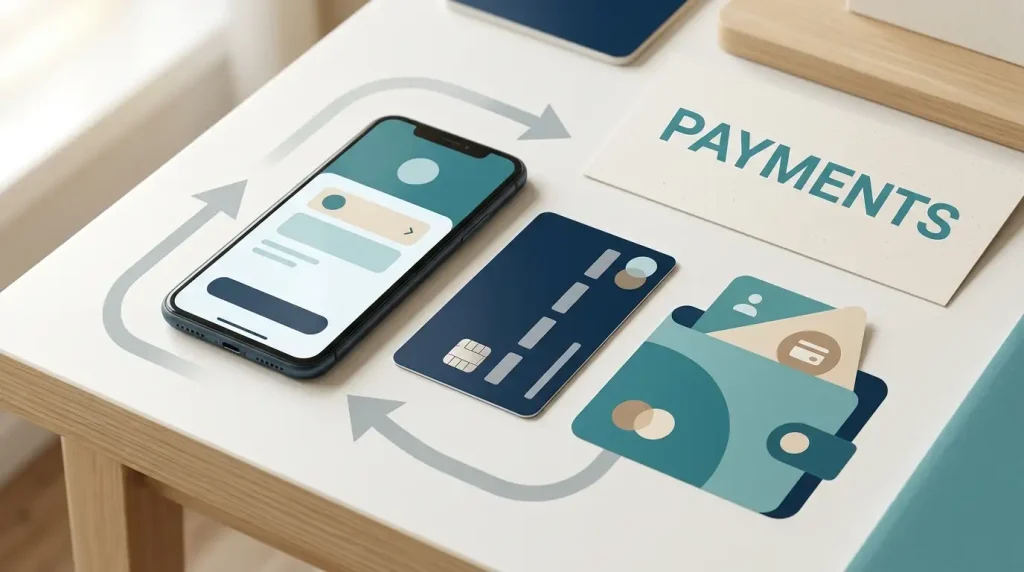
Table of Contents
- OJO deposit methods at a glance
- Minimum deposit and PlayOJO fees
- Deposit speed versus withdrawal speed
- Which OJO payment method is the most practical?
- Financial limits for UK online casino accounts
- Deposit methods and withdrawal methods are not identical lists
- How verification affects the cashier
- Choosing between card, wallet and bank payment
- What the payment list does not prove
- Why method availability and account readiness are separate
- The OJO payment setup that suits most UK players
Section element
UK cashier guide
PlayOJO’s current deposit guide lists Visa and Mastercard debit cards, PayPal, instant bank transfer, Trustly and Apple Pay. The official guide gives a £10 minimum deposit across its listed methods and says PlayOJO does not charge a deposit fee. Withdrawals use a somewhat narrower set – Visa, Mastercard, PayPal, Apple Pay and Instant Bank Payment – and the options actually shown can depend on your account, device, deposit history and verification status.
OJO deposit methods at a glance
The current official PlayOJO deposit guide gives UK players a compact set of mainstream methods rather than a long list of niche options. Debit cards remain central, while PayPal, Apple Pay and bank-based routes cover players who prefer wallets or direct account payments. Crypto is not included in the verified UK payment set used for this guide.
| Method | Deposit | Withdrawal | Practical note |
|---|---|---|---|
| Visa debit | Yes | Yes | Standard card route; withdrawal availability can depend on prior use and account setup. |
| Mastercard debit | Yes | Yes | PlayOJO says Mastercard withdrawals are available where the card has been used to deposit. |
| PayPal | Yes | Yes | E-wallet option for both directions; method-specific minimums can differ on withdrawal. |
| Instant bank transfer | Yes | Instant Bank Payment | Bank-based route that avoids entering card details in the casino cashier. |
| Trustly | Yes | Not listed as a separate withdrawal option in the current general withdrawal guide | Deposit availability is confirmed; use the cashier to see your live withdrawal choices. |
| Apple Pay | Yes | Yes | Withdrawal use is tied to compatible Apple devices and prior payment use. |
Minimum deposit and PlayOJO fees
PlayOJO’s current deposit guide states a £10 minimum deposit across its listed payment methods. It also says PlayOJO does not charge a fee for deposits. The maximum amount can vary by method and by account controls, so the cashier is the better place to check an upper limit than a static review page.
Method-specific pages can add extra detail. For example, PlayOJO’s PayPal page lists a £10 minimum deposit and no PlayOJO transaction fee. The important distinction is between an operator fee and any charge imposed elsewhere in the payment chain. This guide only treats PlayOJO’s own stated fee position as verified.
Before depositing
- Check the payment method is visible in your live Cashier.
- Confirm your account currency and selected amount.
- Review any financial limit already applied to the account.
- Use a method in your own name and be prepared for normal identity or payment verification.
Deposit speed versus withdrawal speed
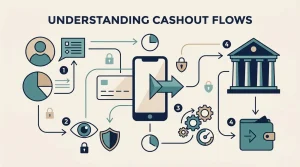
PlayOJO describes its available deposit methods as instant, with deposited funds appearing in the account within seconds. That is useful for understanding the deposit side, but it should not be used as a promise about withdrawals. A cashout adds account checks, operator processing and the receiving payment provider.
For withdrawals, PlayOJO’s current guidance lists Visa, Mastercard, PayPal, Apple Pay and Instant Bank Payment. Its general withdrawal information says most withdrawal requests are processed quickly, but provider timing and extra checks can extend the wait. Exact cashout timing belongs on the dedicated OJO casino withdrawal page rather than being flattened into a single guaranteed number here.
Using the same route for deposits and withdrawals can also matter. PlayOJO notes that some methods are available for withdrawal only where they have already been used for depositing. That is one reason the Cashier can show a different list from a generic public banking page.
Which OJO payment method is the most practical?
There is no universal best method, but there is a practical way to narrow the choice. Debit cards suit players who want a familiar bank-linked route. PayPal separates casino transactions from direct card entry and works for both deposits and withdrawals. Apple Pay is convenient for compatible Apple devices. Instant bank payment and Trustly are useful for players who prefer bank-authenticated transfers.
The right choice is therefore less about chasing a headline speed and more about matching the route you already use, whether it can receive withdrawals, and whether the cashier shows it for your account. If you are opening the account for the first time, the OJO casino registration explains the account sequence separately.
Financial limits for UK online casino accounts
UK rules require online gambling businesses to prompt customers to set a financial limit before their first deposit and to make those limits easy to review and change. PlayOJO’s own deposit guide also points players to deposit-limit tools in account settings.
There is a near-term regulatory change to be aware of. From 30 September 2026, revised UK Gambling Commission technical rules require operators to offer gross deposit limits and reserve the term “deposit limit” for that gross-deposit form. Because this page is being prepared on 27 September 2026, that requirement is not yet in force at the time of writing. Players publishing or relying on this guide after 30 September should recheck the live UKGC wording and the current OJO interface.
A financial limit is different from the casino’s minimum transaction size. The £10 minimum deposit tells you the smallest individual deposit PlayOJO currently lists; a financial limit controls how much you allow yourself to put into the account over a period.
Deposit methods and withdrawal methods are not identical lists
One of the more useful details in PlayOJO’s current banking information is that the deposit list is broader than the general withdrawal list. Trustly appears in the deposit guidance, while the withdrawal guide instead names Visa, Mastercard, PayPal, Apple Pay and Instant Bank Payment. That difference is a reason to plan the exit route before making the first deposit rather than assuming every funding option can receive a cashout in the same way.
The receiving route can also depend on what you used earlier. PlayOJO specifically notes that Mastercard and Apple Pay withdrawals can depend on having used those methods to deposit. In practice, this means the cashier state matters more than a generic logo list. If a method is absent from the withdrawal screen, do not infer that a public deposit page overrides the options available to the account.
How verification affects the cashier
Payment choice and account verification are connected operationally even though they are different topics. PlayOJO’s deposit guidance says identity checks are part of the account process and that documentary evidence can sometimes be requested. A deposit being accepted therefore does not mean every later withdrawal will bypass further checks.
For a player, the useful sequence is straightforward: register with accurate details, use a payment method in your own name, complete any requested verification and then request withdrawal through an available route. This reduces avoidable friction without making any promise about approval time. The exact documents and processing details should always be taken from the current verification flow rather than guessed from a payment-method page.
Choosing between card, wallet and bank payment
A debit card is usually the simplest option for someone who already uses it for everyday online payments and wants a familiar route. PayPal can be attractive when you prefer an intermediary wallet and want the same service available for deposits and withdrawals. Apple Pay adds device-based authentication for compatible Apple hardware. Bank-based options can suit players who prefer authorising a transfer through their banking environment instead of entering card information.
None of those categories is automatically faster in every withdrawal case. Approval, account checks and the receiving provider still matter. The best practical choice is therefore the one that is visible in your cashier, fits your normal banking habits and gives you a sensible route for both funding and cashing out.
What the payment list does not prove
A public banking page cannot guarantee that every listed method will appear for every user at every moment. Payment availability can change with device, provider, account history, verification state and the methods previously used. It also does not prove that a withdrawal will be instant merely because the deposit was instant.
For regulatory context, see the OJO casino licence. For the overall experience and how payments fit alongside bonuses and games, return to the OJO casino review.
Why method availability and account readiness are separate
A payment method can be listed by OJO and still depend on the details available in your account. The practical check is to separate the published method list from account readiness: confirm the cashier option, the minimum deposit and any verification step before treating a method as available for the transaction you want to make.
The OJO payment setup that suits most UK players
For most UK users, the practical shortlist is a familiar debit card, PayPal, Apple Pay or a direct bank-based option, with the live Cashier deciding what is actually available to the account. The current verified baseline is straightforward: £10 minimum deposit, no PlayOJO deposit fee, several mainstream deposit routes, and a smaller set of confirmed withdrawal routes. Choose the method you can comfortably use in both directions, then treat withdrawal approval and provider arrival time as a separate banking step.